eMixWeb Pro Auto
Features

Everything your shop needs to keep work moving.

The platform connects customers, vehicles, repair orders, estimates, invoices, scheduling, documents, payments, notifications, users, and reports — all built for real Auto Body and Auto Repair workflows, not a generic template.

Connected white vehicle
01 / 09

Customers & vehicles

One 360° record per customer, built the moment your front desk types a name and a phone number.
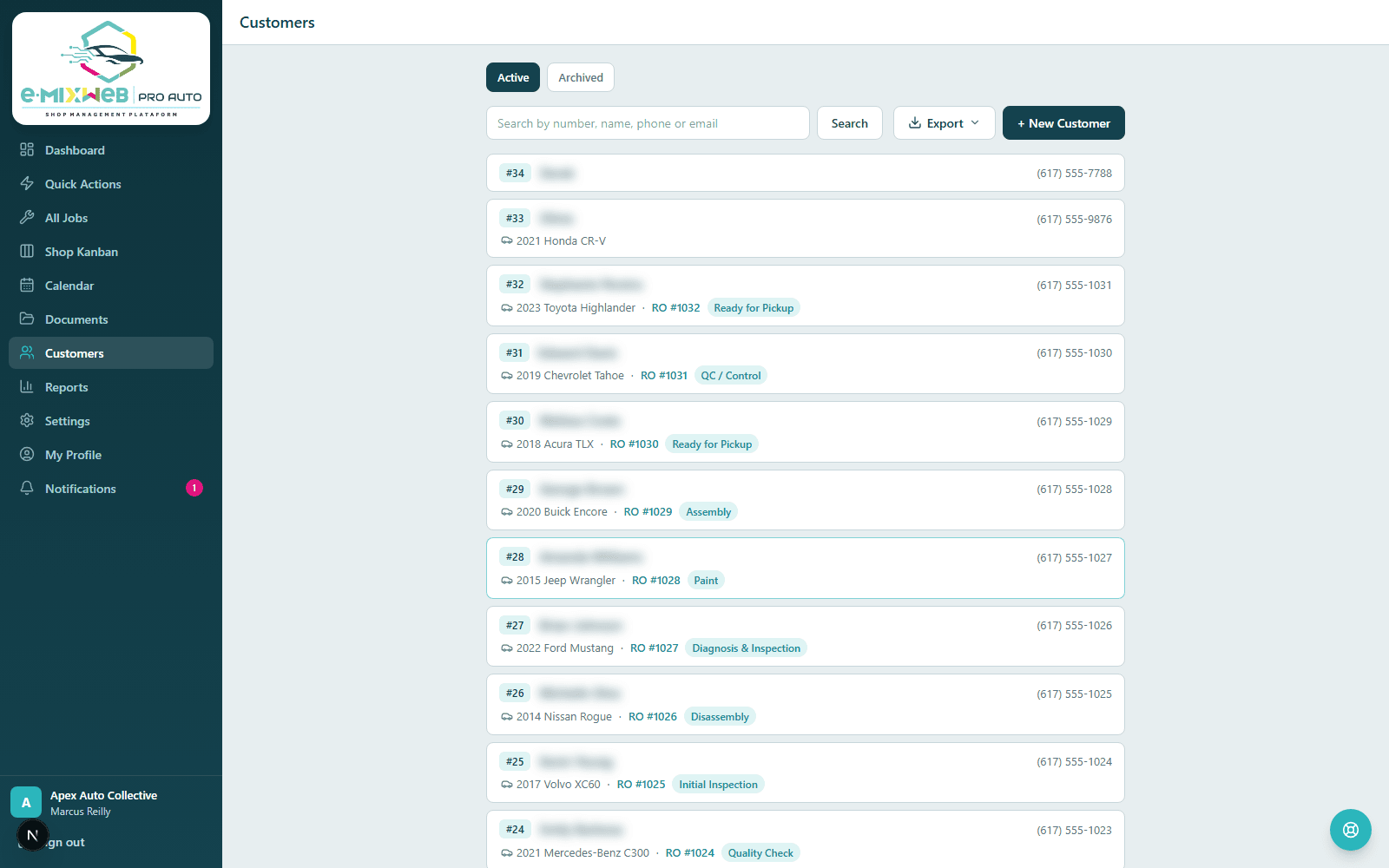
Autosave creates the record and assigns a customer number from just a name + one contact — no intake form to re-key later.
Smart inputs: phone auto-formats as you type, email is validated with domain autocomplete, addresses use clean separate fields (with Google Places autofill on the roadmap).
VIN decode fills in year, make, and model from the official NHTSA database.
Full activity log, vehicles, service history, and documents on every profile.
Reach a customer with one-click Email or SMS, right from their profile.
Customers list — searchable, numbered customer records

Every customer, numbered and searchable the moment they're entered.

02 / 09

Repair orders that match how you work

Auto Body and Auto Repair each get their own stages, flags, and documents — never a generic, one-size-fits-none workflow.

Auto Body: Initial Inspection → Disassembly → Body Work → Paint → Assembly → Detail & Clean → QC → Ready for Pickup, with a tap-to-update progress bar.
Flags for Total Loss, Waiting for Parts, and Supplement — visible across the Kanban and All Jobs the moment they're set.
Auto Repair: Check-in → Diagnosis & Inspection → In Repair → Quality Check → Ready for Pickup, with multi-point inspections and declined-service tracking.
Before/during/after photos by vehicle zone, from a camera or your computer.
A days-in-shop badge so a job never quietly gets forgotten.
Mileage captured automatically — in at check-in, out at delivery.
03 / 09

OBD diagnostics — guidance, not a black box

Enter a scanner code and get useful context instantly, with your technician always making the final call.

Official code title, a plain-English explanation, severity, and likely directions to check.
A running work log over time, so codes that came back (or cleared after a road test) are never lost.
Curated rules, not AI guesswork — transparent and explainable to the customer.
04 / 09

Estimates, invoices & documents

Every document a shop needs, branded, connected to the repair order, and a click away from the customer's inbox.
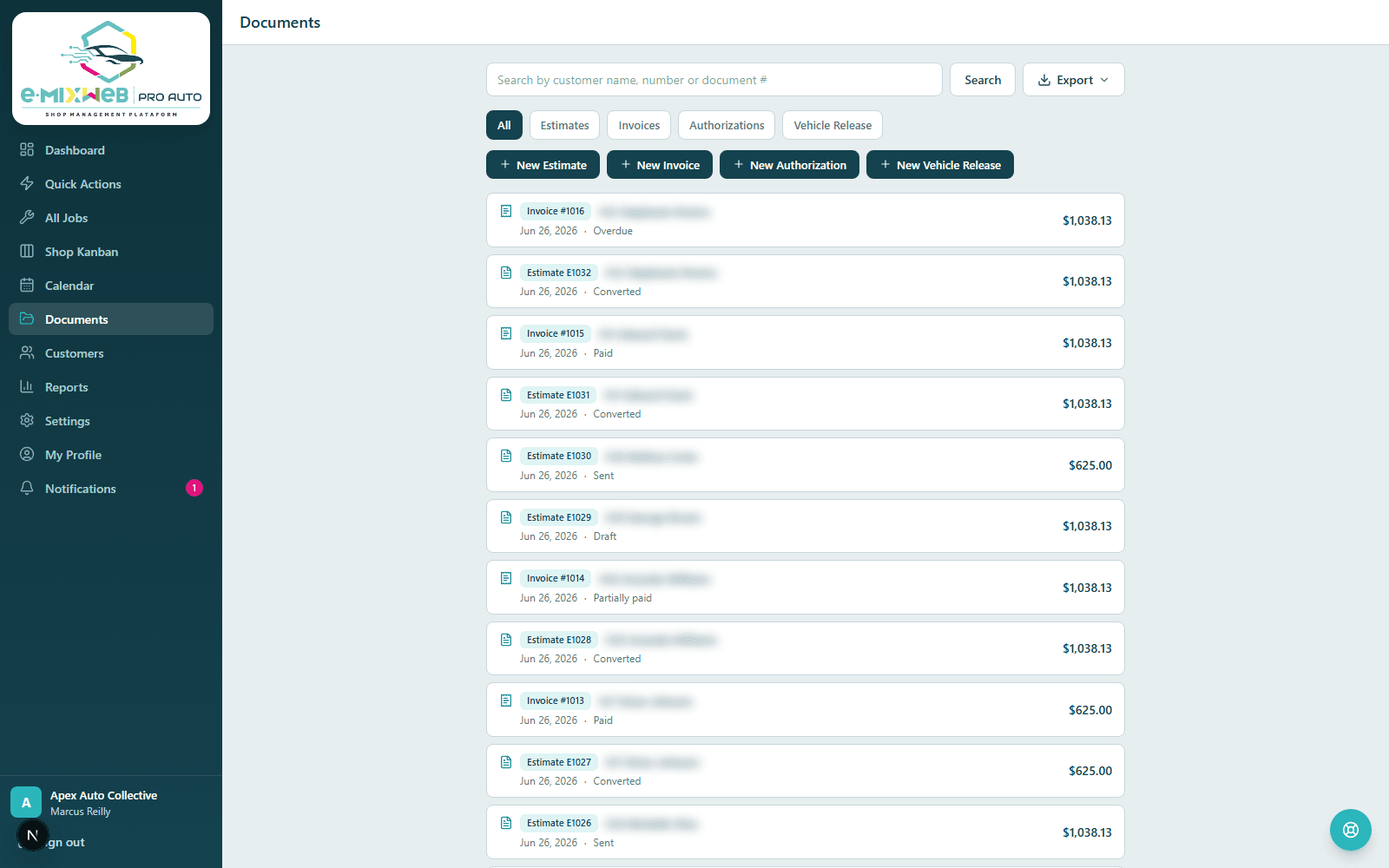
Estimates and invoices with labor/parts/paint/sublet line items and automatic per-state tax.
One-click estimate → invoice conversion once the work is approved.
Customers approve estimates online with no login: they can uncheck individual line items, totals recalculate live, and the approval (with signature, date, and IP) is on file.
Authorization to Repair and Vehicle Release & Storage Fees forms, signed and ready to print or email.
Branded PDFs for everything, plus CSV / PDF / Word export on every list.
Documents hub — estimates, invoices, and signed forms in one place

Estimates, invoices, and signed forms — one hub, one customer record.

05 / 09

Get paid & track what you're owed

From a single recorded payment to a full receivables view, money stays as visible as the repair work.

Record payments (cash, check, card, Zelle, and more); balances and invoice status update themselves.
Accounts Receivable with aging, plus a live view of estimates approved vs. awaiting approval.
Payment Control reconciles the insurer's payment, the customer's deductible, and any private work on one sheet.
Supplements approve in full, partially, or get rejected — and the job flows straight back into the workflow with only the approved amount billed.
06 / 09

Scheduling & online booking

A real calendar your team controls, plus a public page that lets customers book themselves in.
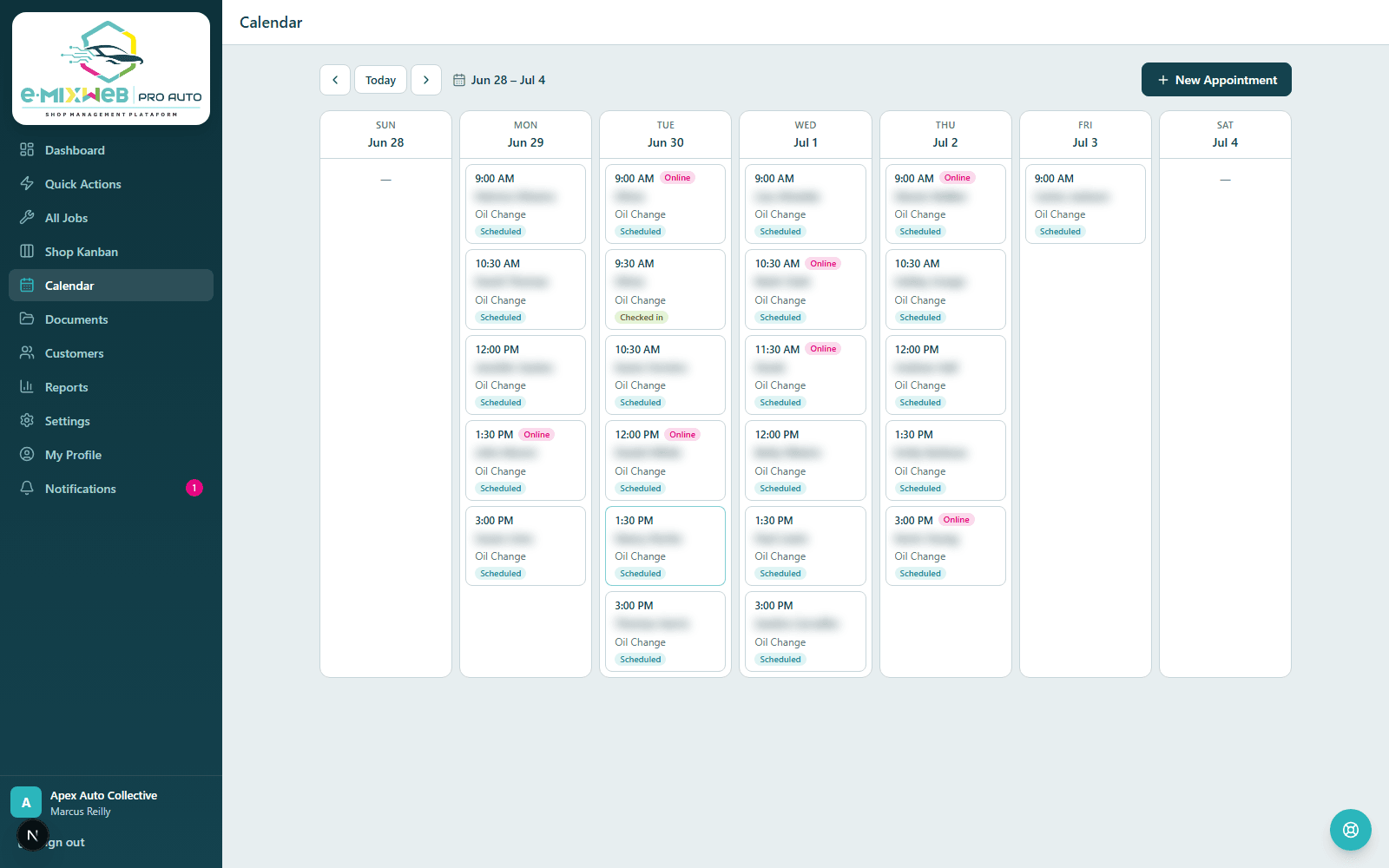
Timezone-correct slots, business hours, and capacity limits enforced automatically.
A public booking page where customers self-schedule and become real, numbered customers — no double-booking, spam-protected.
An in-app notification the instant someone books online, so nobody has to babysit the calendar.
Calendar — appointments with online booking

A real calendar with business hours, capacity, and online booking.

07 / 09

See the whole shop at a glance

The same status, visible to everyone, without a whiteboard or a phone call.

Shop Kanban: drag a job across stages, full-screen-able for a wall display, type-aware tabs for Both-mode shops.
All Jobs: every repair order in one searchable, sortable, filterable, printable list.
Dashboard: today's schedule, what needs attention, jobs by stage, and your receivables in one view.
Notifications: an in-app inbox that tells you the moment a customer approves an estimate, books online, or another action needs you.
08 / 09

Built for a team

Everyone sees exactly what their role needs — nothing more, nothing they can quietly escalate.

Roles for Owner, Manager, Front Desk, and Technician, each scoped to the right screens and actions.
Invite teammates by link; activate, deactivate, or change roles anytime.
Permission guardrails so no one can grant themselves more access than their role allows.
09 / 09

Your account & platform trust

The business side of running on someone else's platform, handled transparently.

See your plan, included modules, and billing status, and download a full export of your data anytime — it's always yours.
Every shop's data is isolated by design; one shop can never see another's.
Role-based access plus a full audit trail on sensitive actions.
Backed by a real control plane: provisioning and support access are logged and protected by multi-factor authentication.

Ready for your workflow

Run Auto Body, Auto Repair, or both without splitting your system.